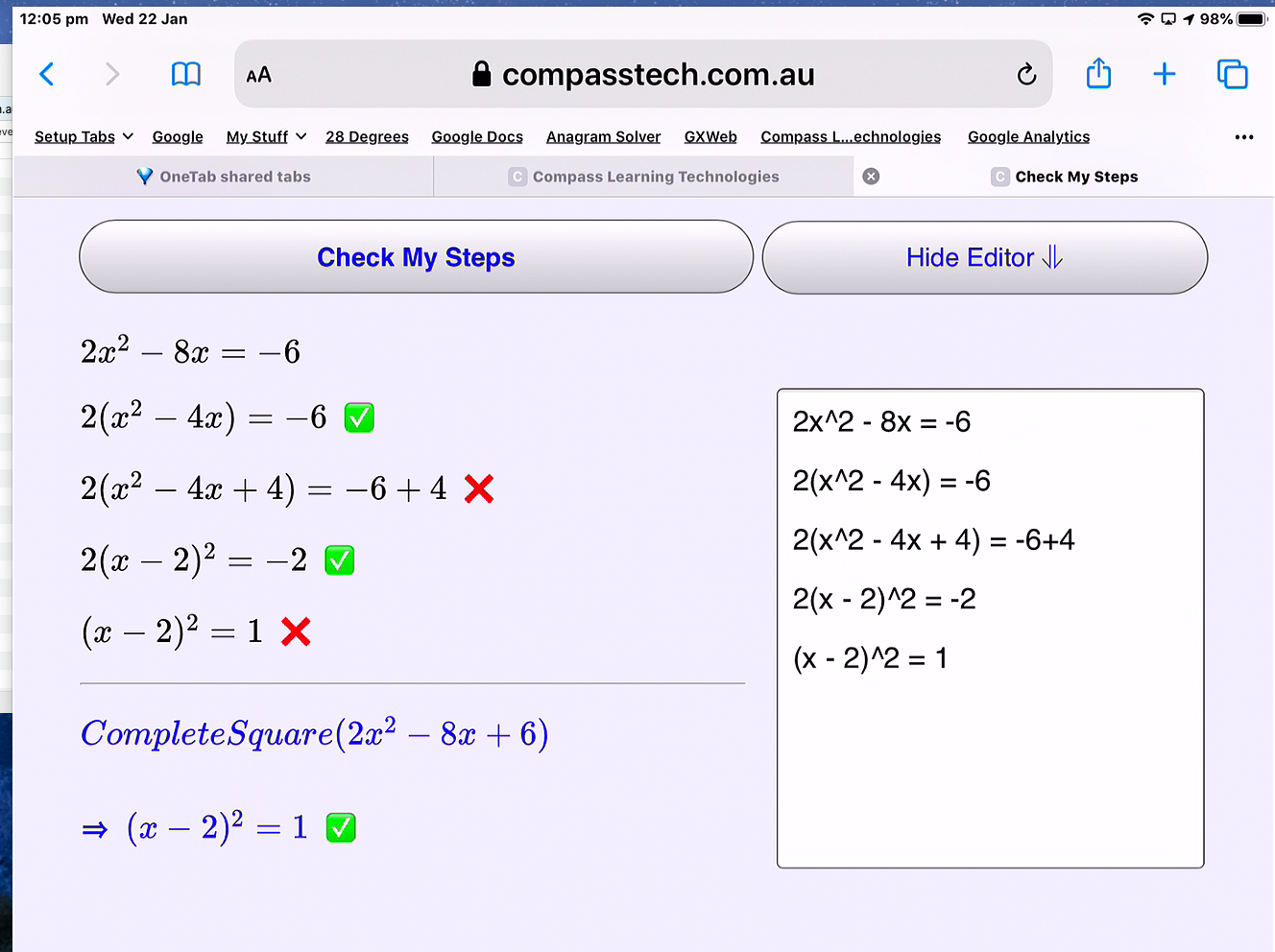
Check My Steps offers an open-ended, easy to use web-based graphing calculator, based upon the GeoGebra Classic web App. It supports the learning of algebra through easy access to a simple Computer Algebra System (CAS) and powerful graphing and table of values tools.
Use the MathQuill MathBox to quickly and easily enter, transform and explore numbers and algebraic terms. Add multiple steps using the MathBox and check that each step follows from those before.
Type simple mathematical expressions and equations as you would normally enter these: for example, "x^2[space]-4x+3", and "2/3[space]". For more interesting elements, use Latex notation (prefix commands such as "sqrt" and "nthroot3" with a backslash (\)): for example: "\sqrt(2)[space][space]".
Hint: When entering mathematical expressions in the MathBox, use the space key to step out of fractions, powers, etc. More about using Mathquill...
For multiple steps, enter each step in turn in the MathBox below, and press the ADD STEP (+) button. After each step, or at the end, tap Check My Steps.
You may also tap Show Editor and enter your steps directly into the Editor. (If you need to make corrections to your steps, the Editor is the place to do that - then just Check Your Steps again!)
Note: To check indefinite integrals (such as \int(x)) do not include the constant term in your answer.